Alternative FFmpeg versions
Senta Streamer allows you to select which FFmpeg executable should be used when starting a stream.
This can be useful in cases where a specific FFmpeg version performs better with a particular profile. For example:
- Some profiles may work more reliably with a newer FFmpeg build.
- Others may require compatibility with an older version.
Adding Alternative FFmpeg Paths
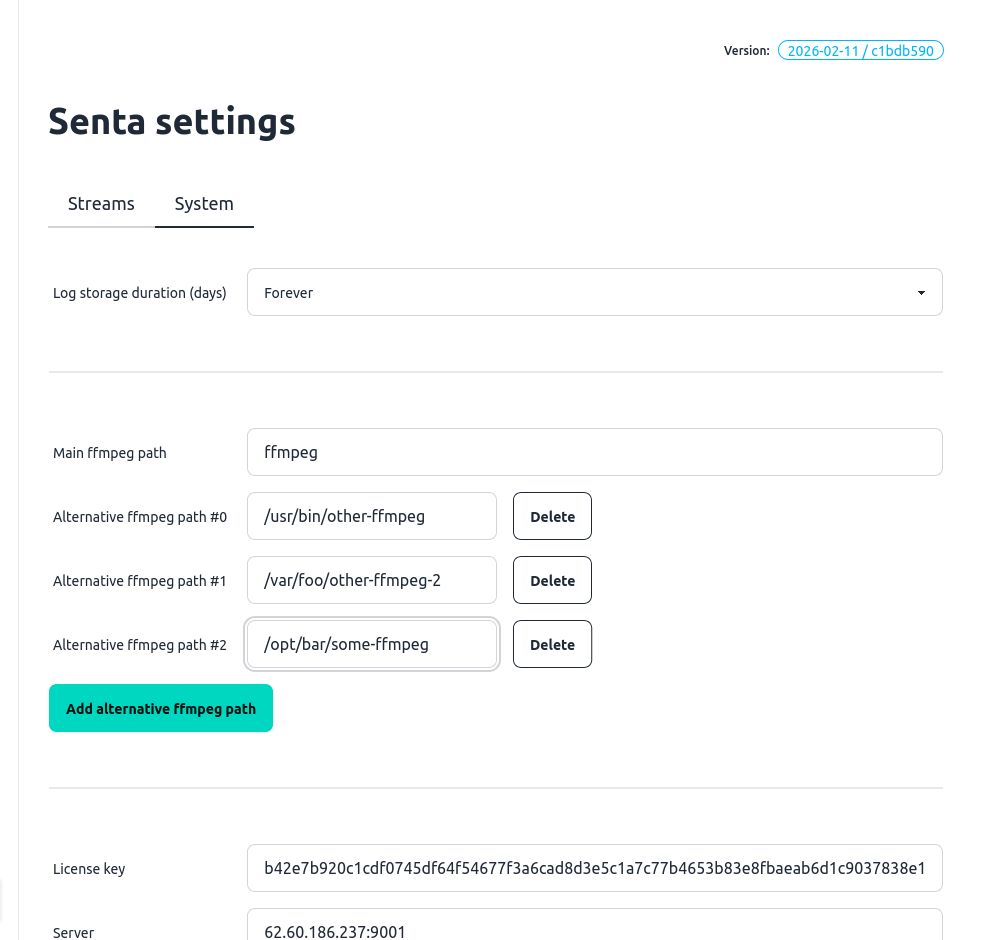
Section titled “Adding Alternative FFmpeg Paths”To configure additional FFmpeg versions:
-
Go to the
Settingspage. -
Scroll down to the
Main FFmpeg pathsection in theSystemtab. -
Click Add alternative FFmpeg path.
-
One by one, add the paths to all alternative FFmpeg versions you want to use. For remove aplication you can click Remove
-
Save the changes.
Once configured, Senta Streamer will remember these binaries and make them available for later use.
Applying an Alternative FFmpeg in Profiles
Section titled “Applying an Alternative FFmpeg in Profiles”To assign a specific FFmpeg version to a profile:
-
Go to the
Profilespage. -
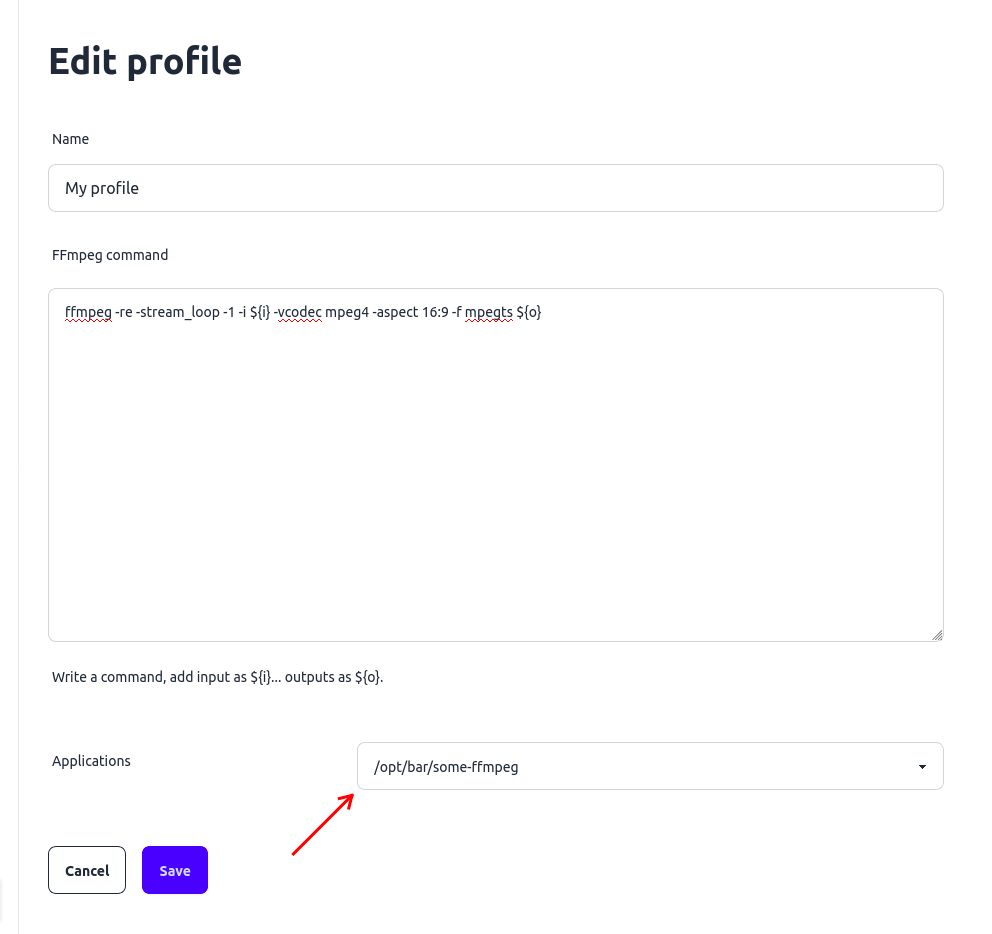
Open the profile, that should use this binary.
-
In the Applications selector, choose one of the alternative paths you configured earlier.
-
Save the profile.
The selected FFmpeg binary will be applied to all streams that use this profile. After saving, affected streams will automatically restart using the new FFmpeg version.