Adding logo
To make a logo for a stream, you can use the ffmpeg profile Logo adding. Here’s an example of how you can add a logo to a stream:
First, you need to add a profile for the logo. Go to the ffmpeg profiles tab and load the Logo adding profile from the profiles repository.
Next, you need to add this profile to the stream. Set the input and output parameters. And variables: X, Y - offset logo from the top right corner, logo - path to the logo file (see working with files to details).
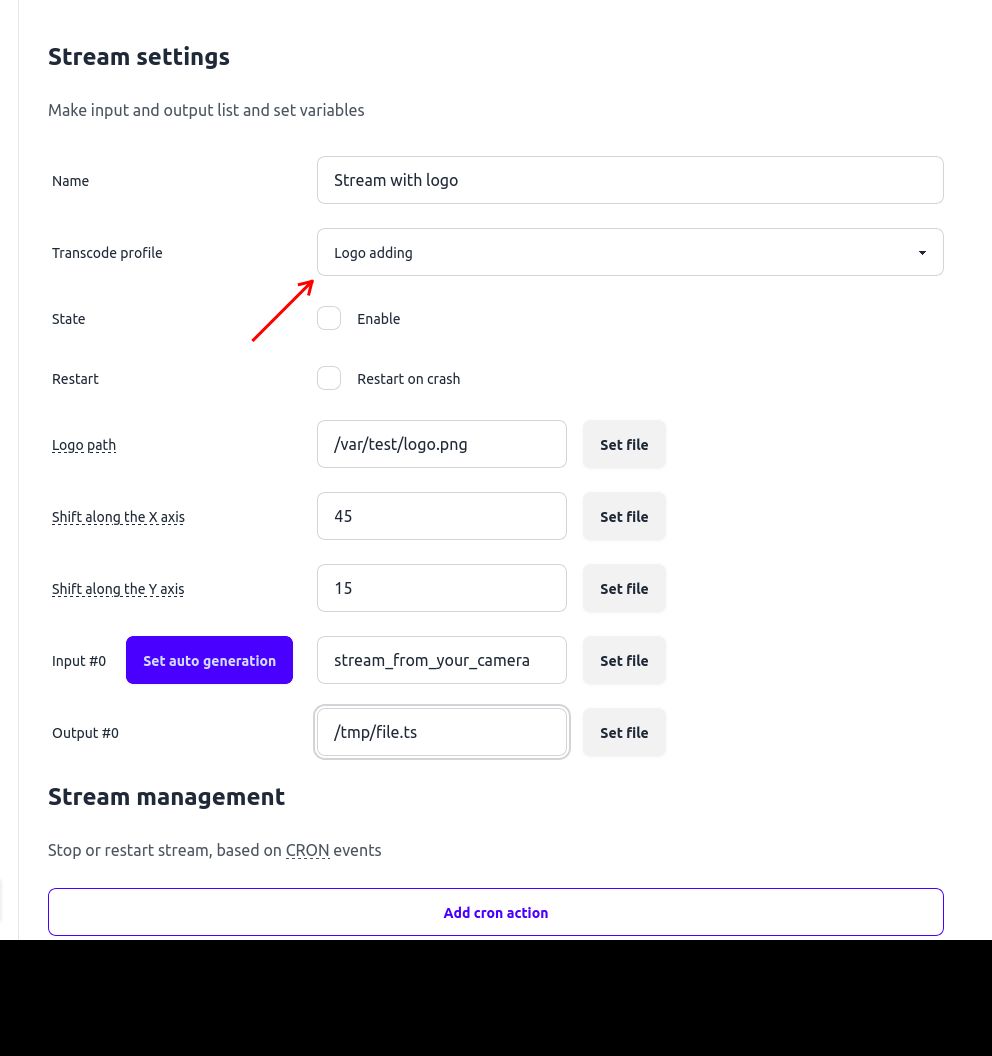
In this example, we get stream from rtsp stream and download a ts-file to the server.
To simplify creating the file path for the stream dump, we selected the folder path through the file browser (in this example, /tmp) and added file.ts at the end in the test field.
As a result, the final path will be: /tmp/file.ts (You can download it in files section)
Finally, you can see the result in VLC.